How to create CyOps
Step 1. Open the CyOps entry
Recommended entry: Go to the Cysic AI homepage and click the top shortcut banner COMPETE IN CYOPS ARENA? BUILD WITH CYOPS & M3 HERE to enter the CyOps creation flow directly.
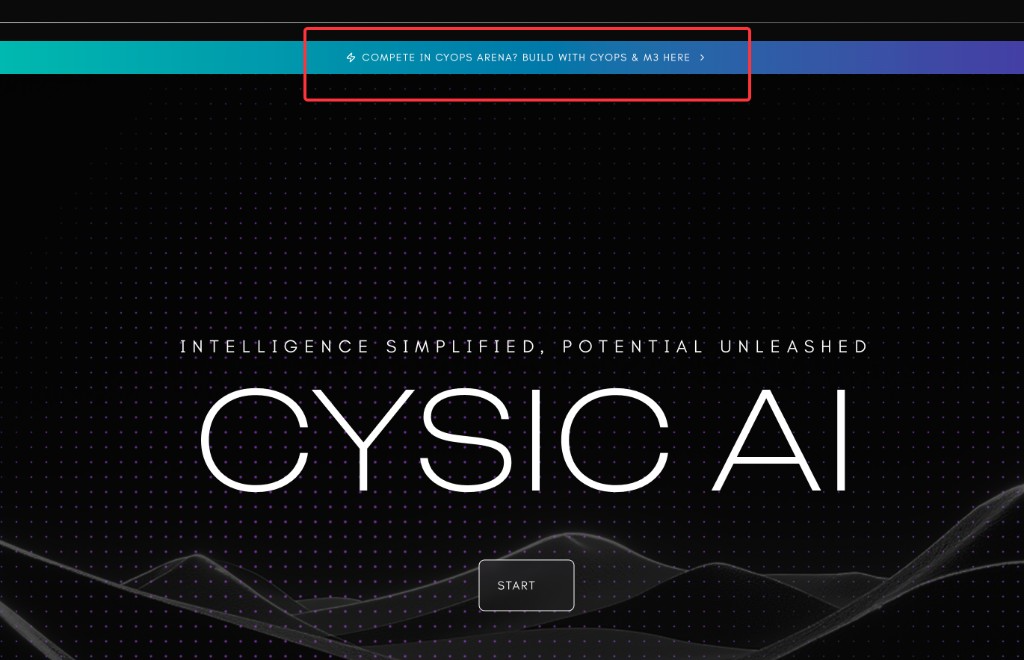
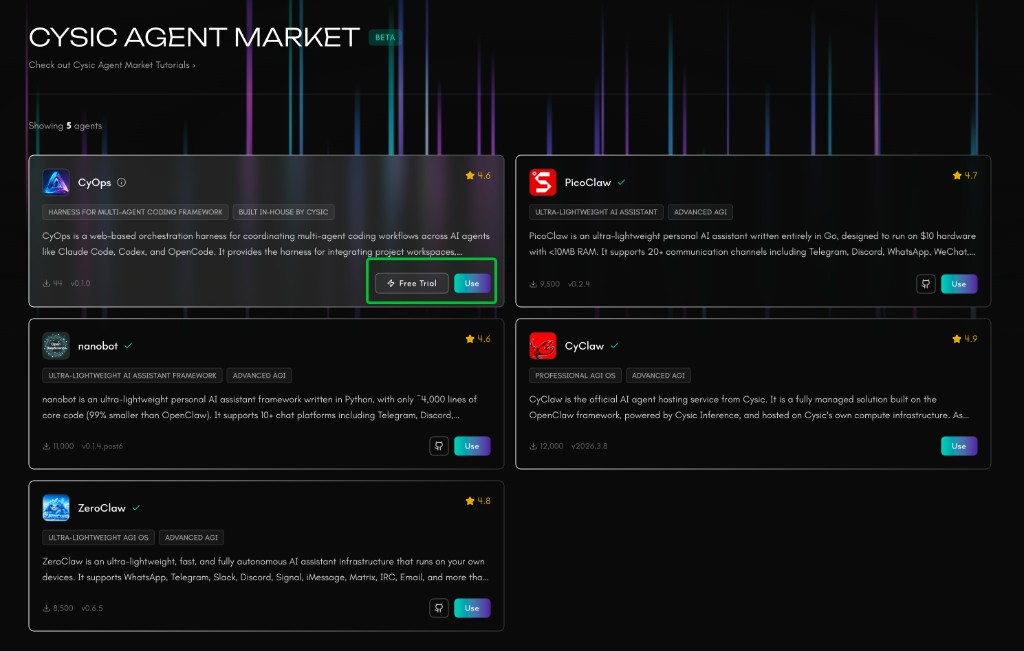
Alternative entry: Go to the Cysic AI Agent Market and click Use on the CyOps card.
Step 2. Name the app and create it
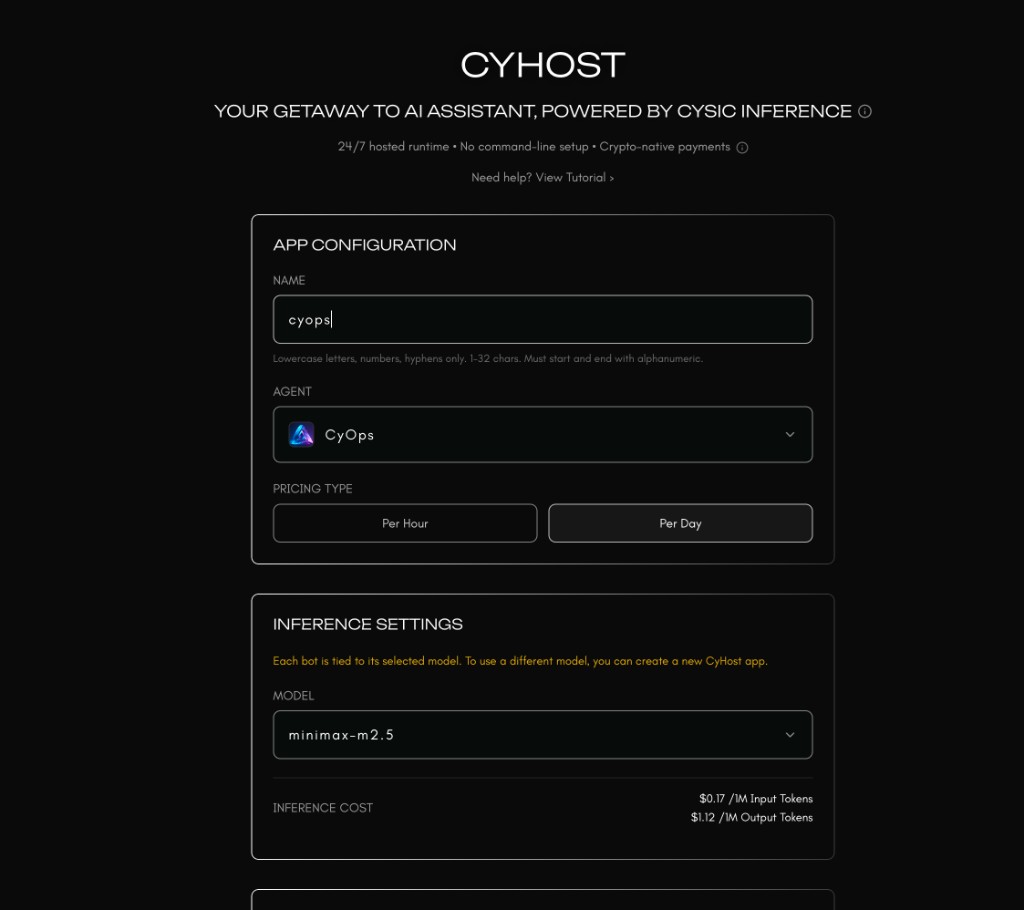
After entering the CyHost creation page, choose CyOps as the agent, enter the app name, and click the create button.
Step 3. Open the CyOps instance details page
After the app is created successfully, go back to the CyHost app list and click the view button for your CyOps instance.
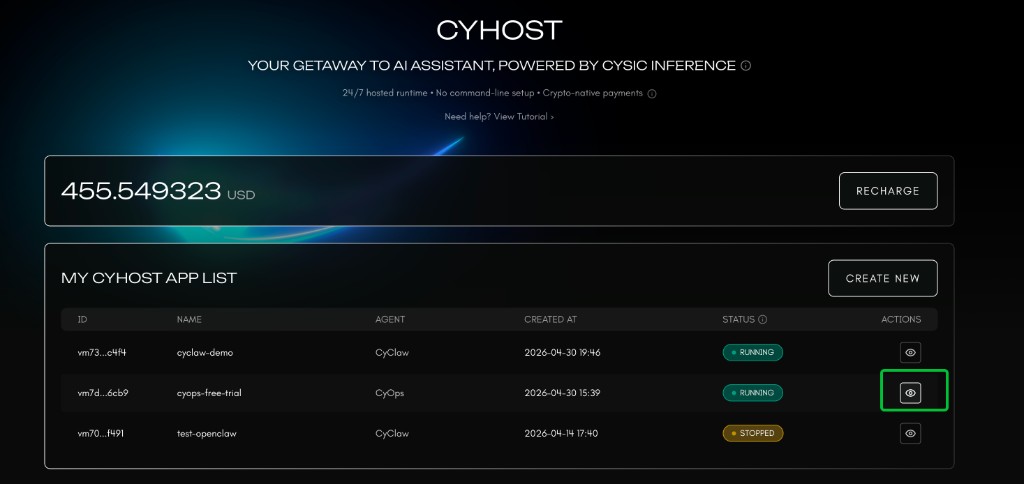
Step 4. Open CyOps through Gateway
On the instance details page, click Open Gateway to launch your CyOps workspace.
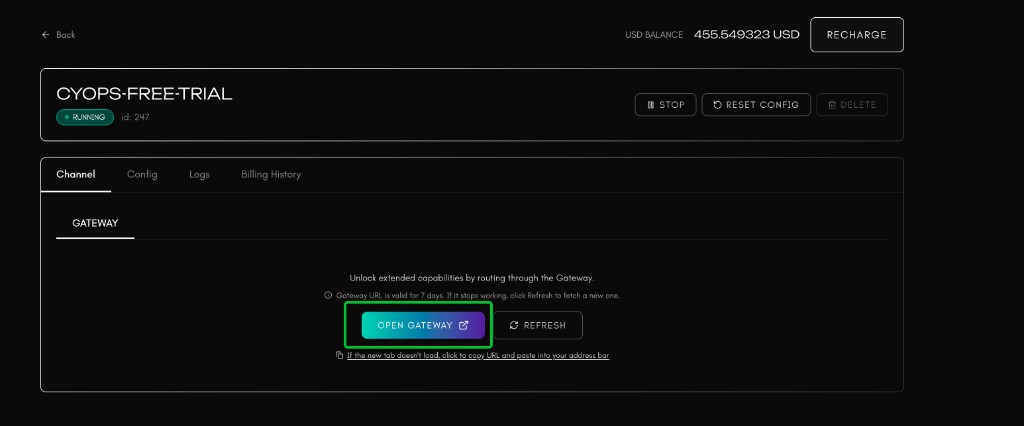
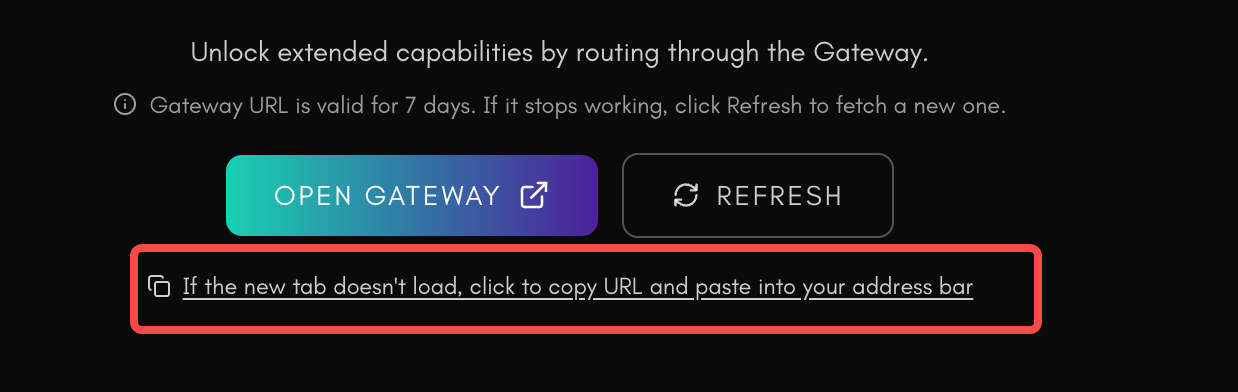
You can also manually copy the Gateway URL by clicking the copy URL button shown below, then paste it into your browser address bar.
Step 5. CyOps is ready
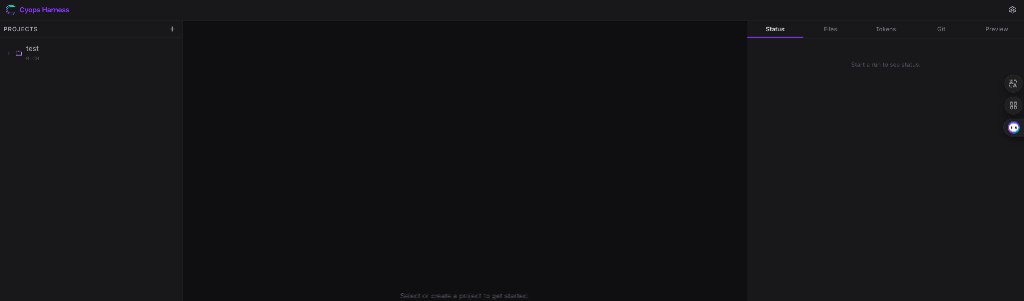
After the Gateway opens successfully, you can enter the CyOps workspace and start using it.