How to create a CyClaw instance
Creation flow
flowchart LR
  Create[Click Create] --> Name[Name Your CyClaw]
  Name --> Model[Select Model]
  Model --> Confirm[Click Confirm]
  Confirm --> Ready[Instance Ready]
App list overview
On the CyClaw application page, you can view your balance, recharge, and create a new instance from the app list panel.
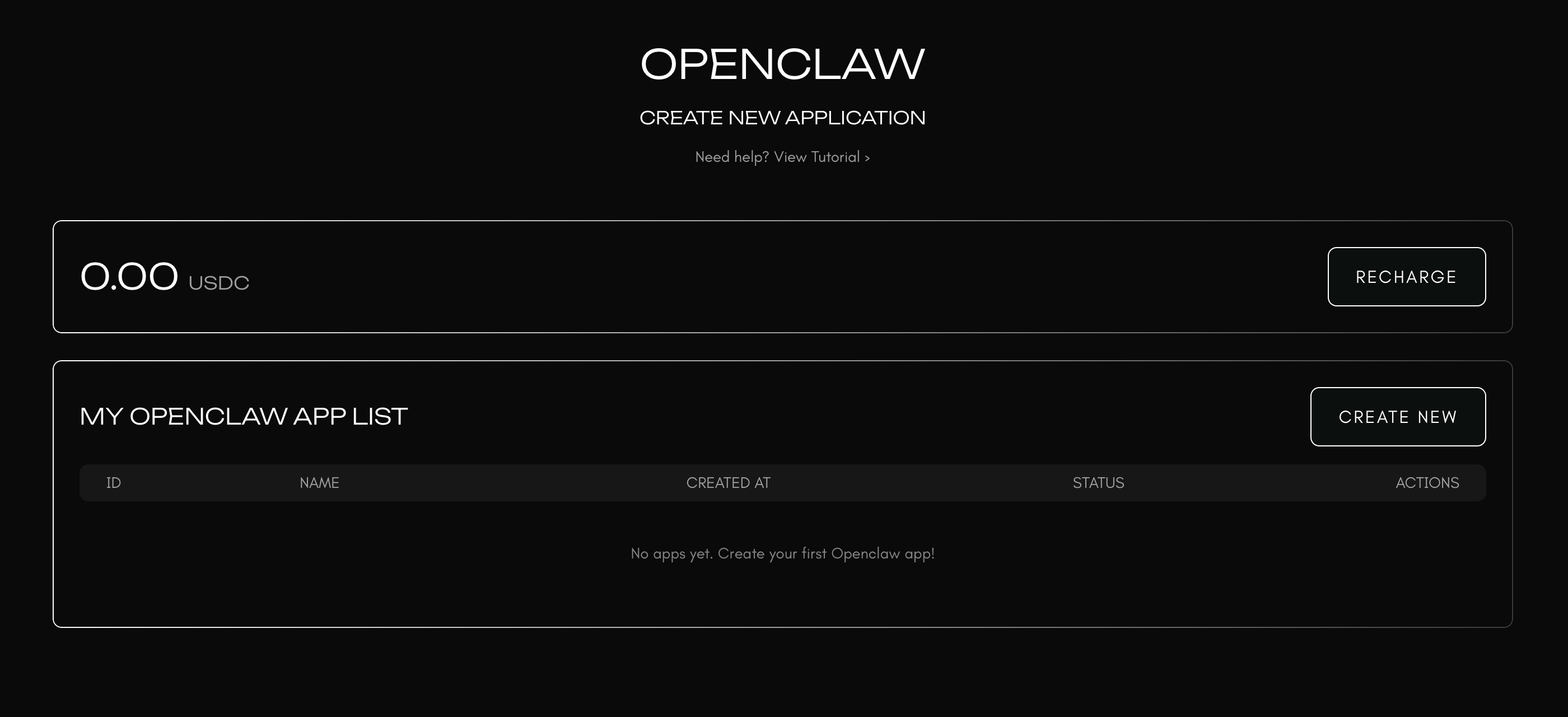
Step 1. Click the create button
Go to the CyClaw hosting page and click Create or New Instance.

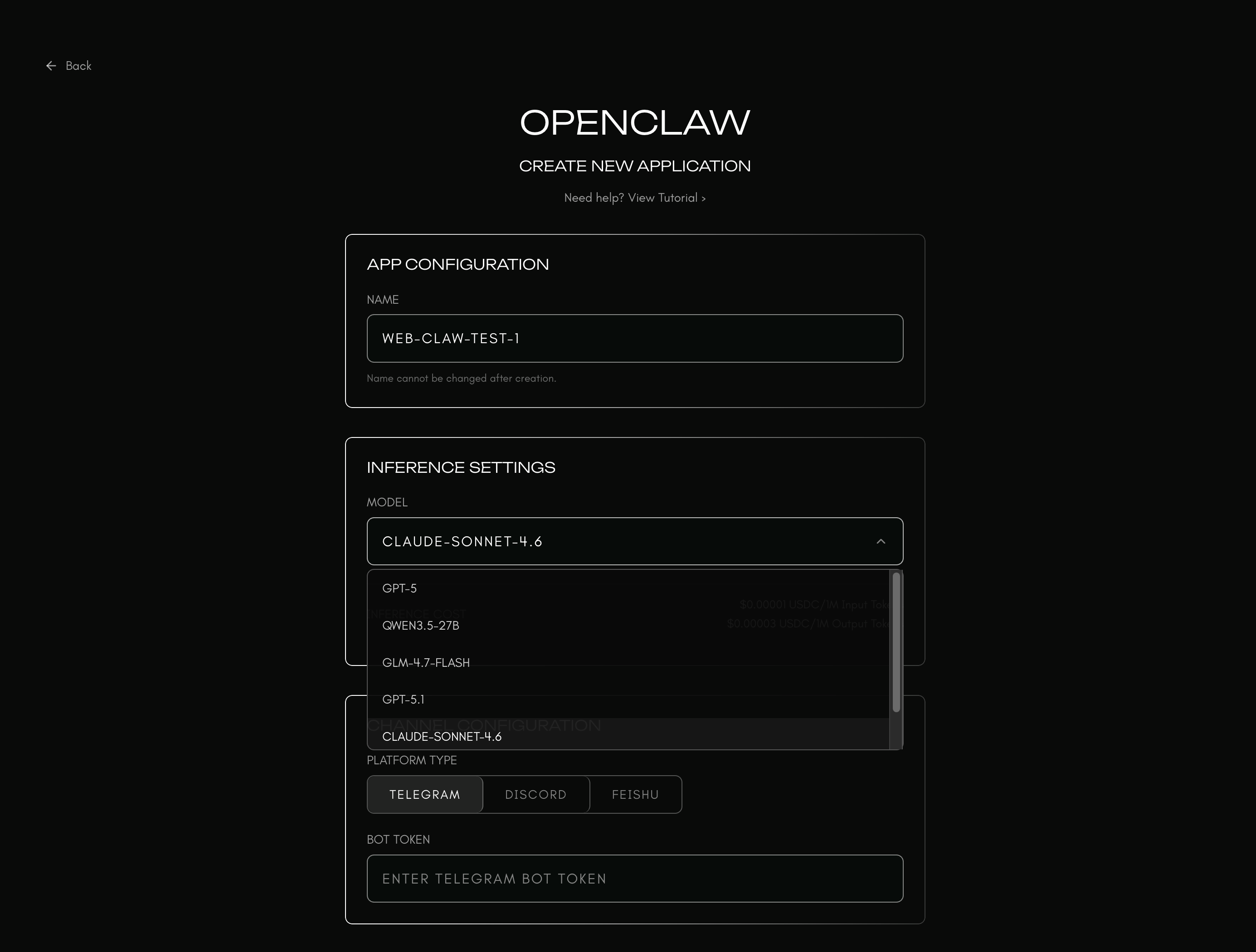
Step 2. Name your CyClaw
Choose a clear and memorable name for your instance, for example:
Support AssistantResearch LobsterTrading Copilot
In the app configuration section, enter the instance name that best describes the role of this CyClaw.
Step 3. Select a model
Cysic CyClaw natively supports the models available through Cysic Inference. You can choose the model that best fits your use case based on performance, latency, and cost.
Examples may include:
- Qwen-72B
- DeepSeek-V3
- Kimi
- GLM-5
- Other models currently available in Cysic Inference
You can also change the model later through conversation with your CyClaw.
The same creation form also includes model selection and channel selection fields:
After the instance is created, continue to Pair bot and CyClaw to complete channel setup and pairing.