Pair bot and CyClaw
After your CyClaw instance is created, complete channel setup and pairing before you start chatting.
The screenshots below use Telegram as the main example. Discord and Feishu follow the same pairing idea, and WeChat uses QR-code-based pairing.
Step 1. Complete channel setup
Telegram
If you choose Telegram, create a bot with BotFather first and copy the bot token.
- Open Telegram and search for
BotFather. - Start a chat with
BotFather, create a new bot, and copy the generated bot token.

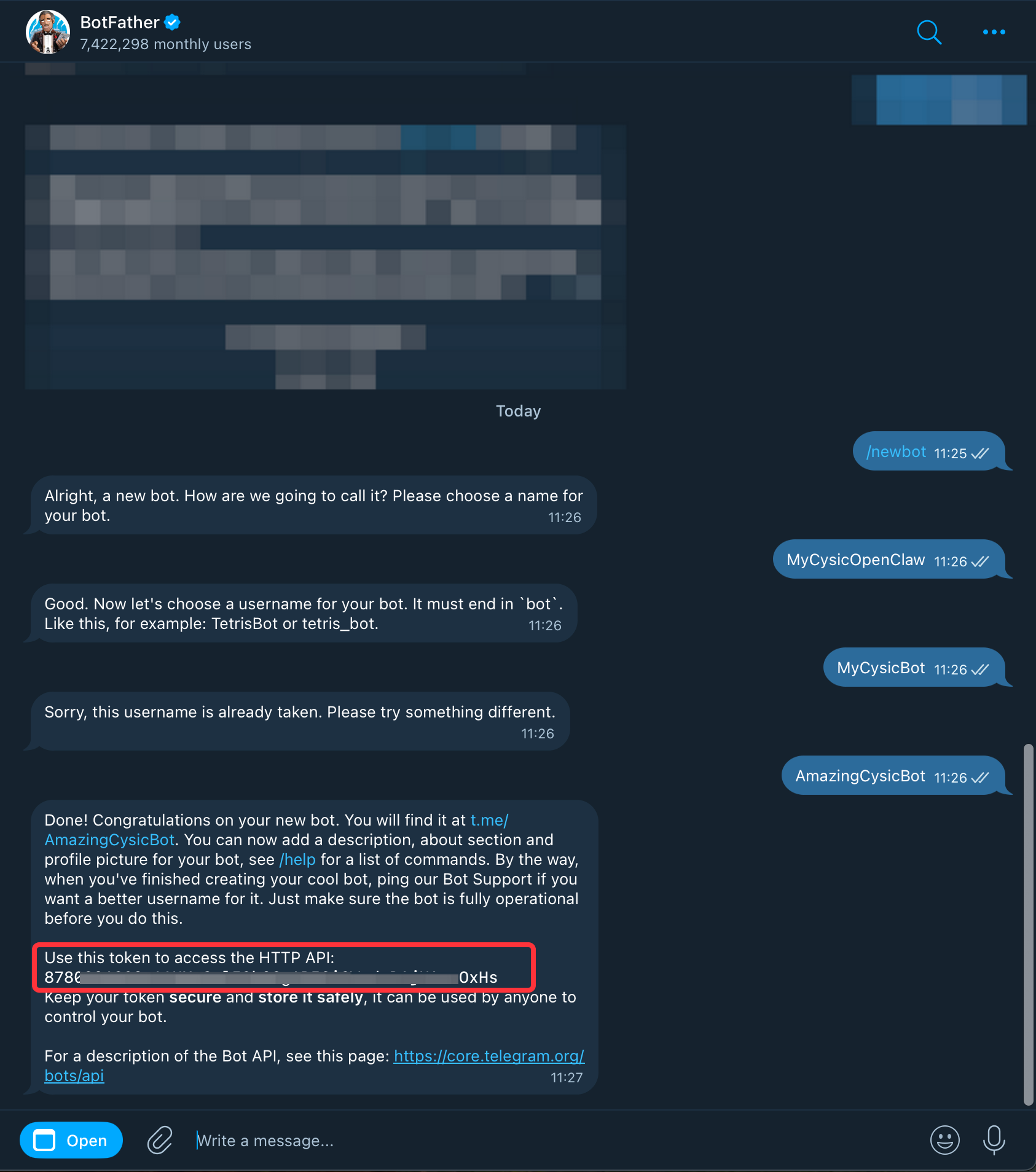
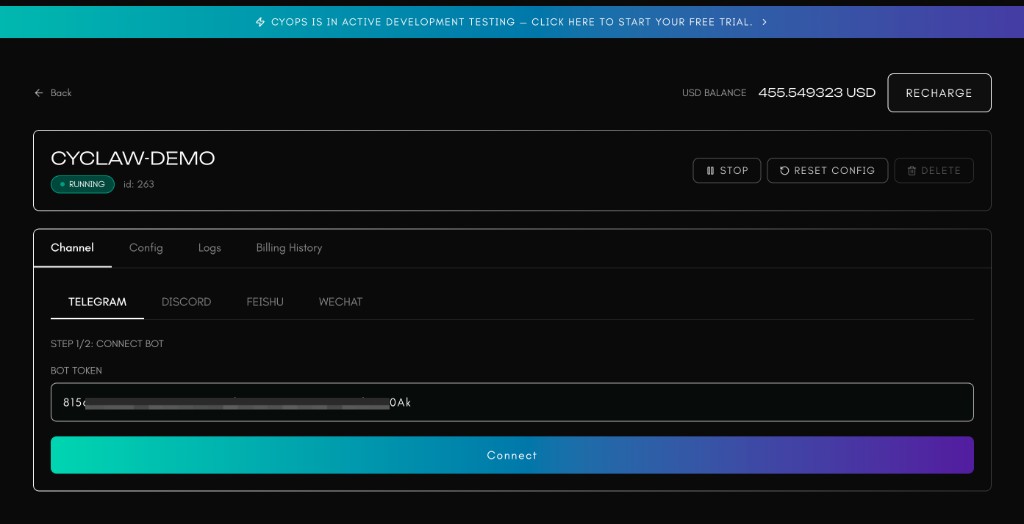
Paste the Telegram bot token into the CyClaw page:
Then click Open Telegram Bot. It will automatically open Telegram and complete the authorization flow for pairing.
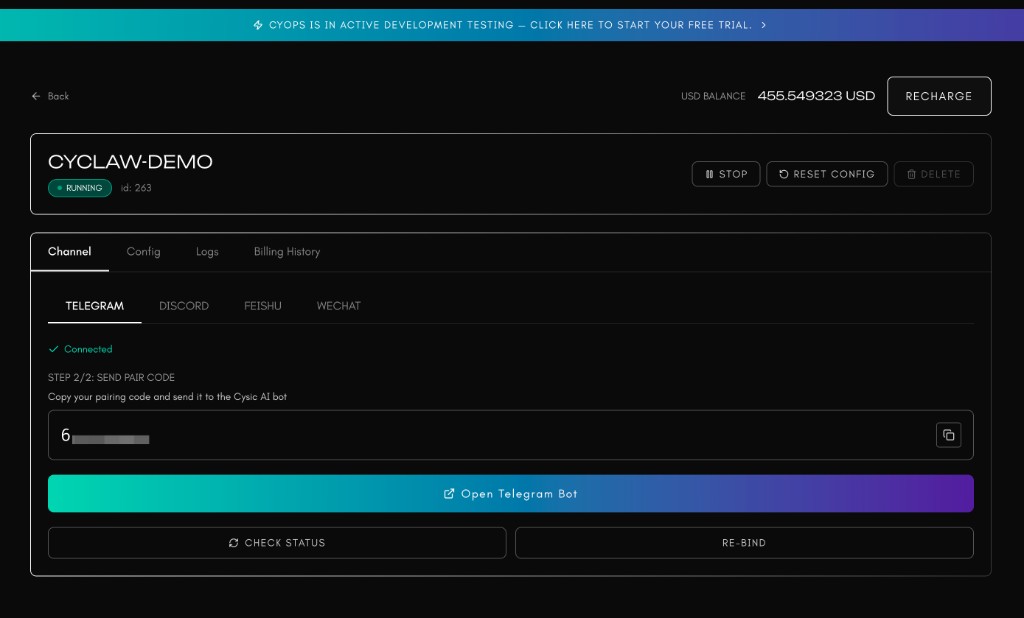
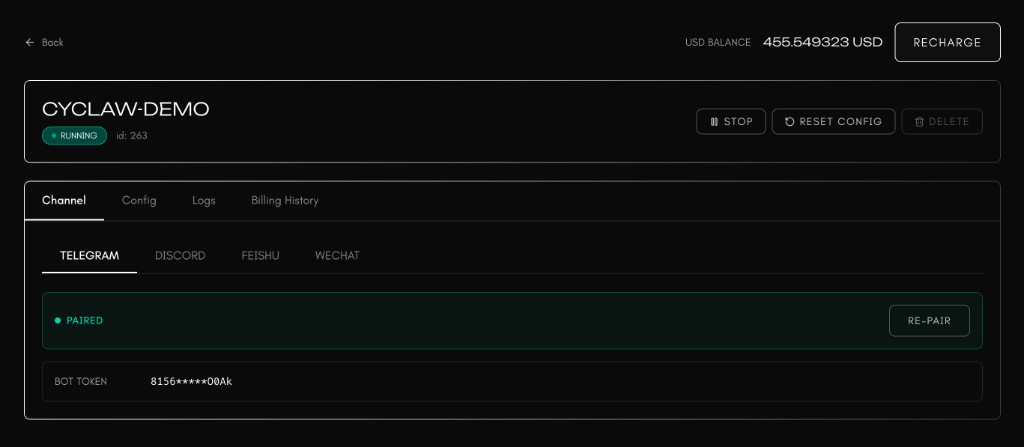
After authorization, Telegram will show the verification result and the CyClaw page will show the paired state:

Discord and Feishu
Discord and Feishu follow the same pairing flow as Telegram: complete the platform-side bot or app setup first, then use the pairing entry on the CyClaw page to open the corresponding platform and finish authorization.
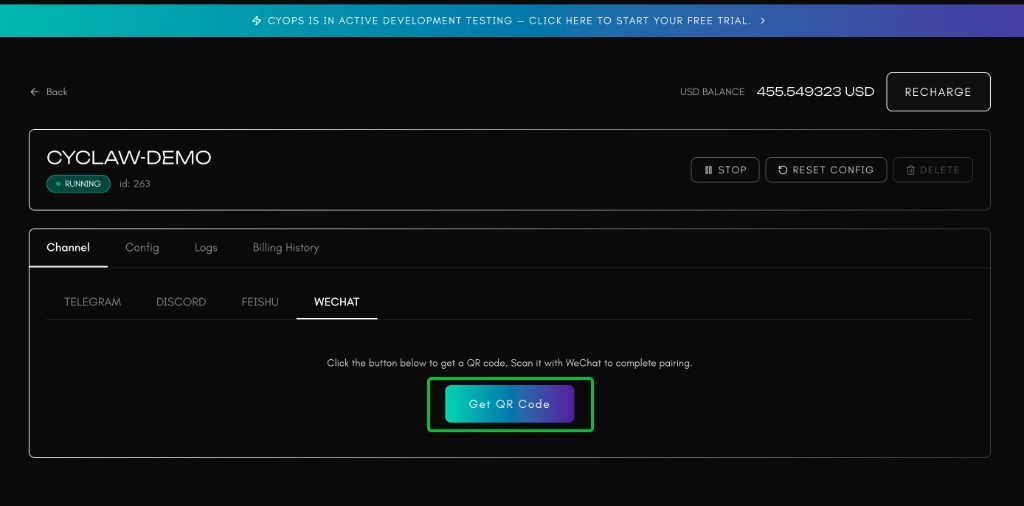
For WeChat pairing, click Get QR Code on the CyClaw page, then scan the generated QR code with WeChat to complete pairing.